





Boot access
Warning
Be aware when the boot is opening or closing. Make sure that no persons are in the vicinity of the boot when it is in motion. Always use the boot access functions with caution. If there is an obstruction when closing the boot, you will hear a beep.
Do not interfere with the boot's support arms, these are highly pressurised and tampering with them can result in serious injury.
After use, check the driver display for indications that the boot is fully closed.
Manual access
If your car is unlocked, you can open the boot using the handle at the bottom of the boot hatch.
You can also open the boot from a distance by pressing and holding the boot hatch button on the key fob.
Hands-free opening
If you're carrying a distance-capable key, you can use the hands-free feature. Make a single kicking motion under the rear bumper to make the boot open or close automatically.
Button on the boot's interior
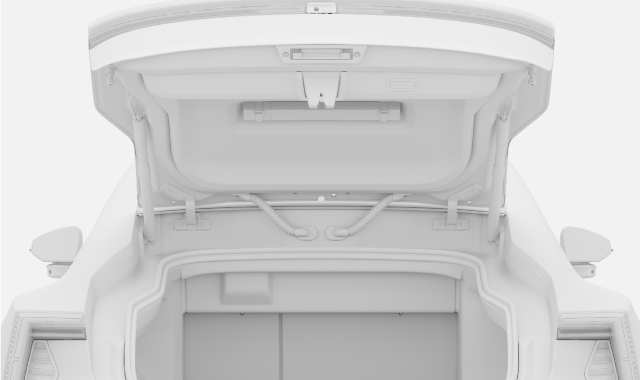

Press the close button on the inner right side of the boot hatch to close it. Press the button again to stop the movement.
Access via the centre display
You can open and close the boot via the shortcuts view in the centre display.
Pinch protection
The car can detect obstructions to the boot hatch when opening or closing. If the boot hatch tries to close with an obstruction in the way, you will hear a warning sound and the boot will open fully. If pinch protection activates while the boot hatch is opening, the boot hatch will stop moving.
Note
Locking with the boot open
If the bonnet or the boot is not properly closed when you lock the car, the alarm won't be fully enabled. In these cases, the alarm will only cover the doors. It won't protect the open bonnet or boot, and the car won't detect any motion inside it.
Once you close the bonnet or boot, it will be locked and covered by the alarm as long as there is no valid key left inside the car.