




Activating Pilot Assist
Important
Before using Pilot Assist
Take the time to read everything about Pilot Assist in this manual before using it for the first time. Understanding its capabilities and limitations is important for safe use.
Assess the situation
Make sure the traffic situation and conditions are suitable for activation. Wait until ongoing manoeuvres, such as a lane change, are completed before activating Pilot Assist.
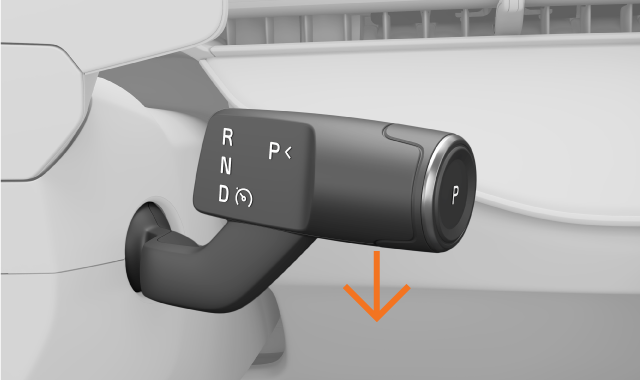
When appropriate, pull the right-hand steering wheel stalk all the way down.
Activation is confirmed in the driver display. Your speed at the time of activation becomes the target speed.
If Pilot Assist is set to adapt to the road's speed limit, it will use the current speed limit as its target speed.
When Pilot Assist is active, you can adjust the target speed and the time interval to vehicles ahead using the steering wheel buttons.
Tip
Resume Pilot Assist
If you recently used Pilot Assist and you want to use your previous target speed, keep the steering wheel stalk pulled down for little while longer when activating Pilot Assist.
Pilot Assist symbols
When Pilot Assist is active, its level of support is shown via symbols and graphics in the driver display.