




Adjusting the steering wheel position
You can adjust the steering wheel position to suit your driving posture. The steering wheel position you choose is stored as part of your user profile.
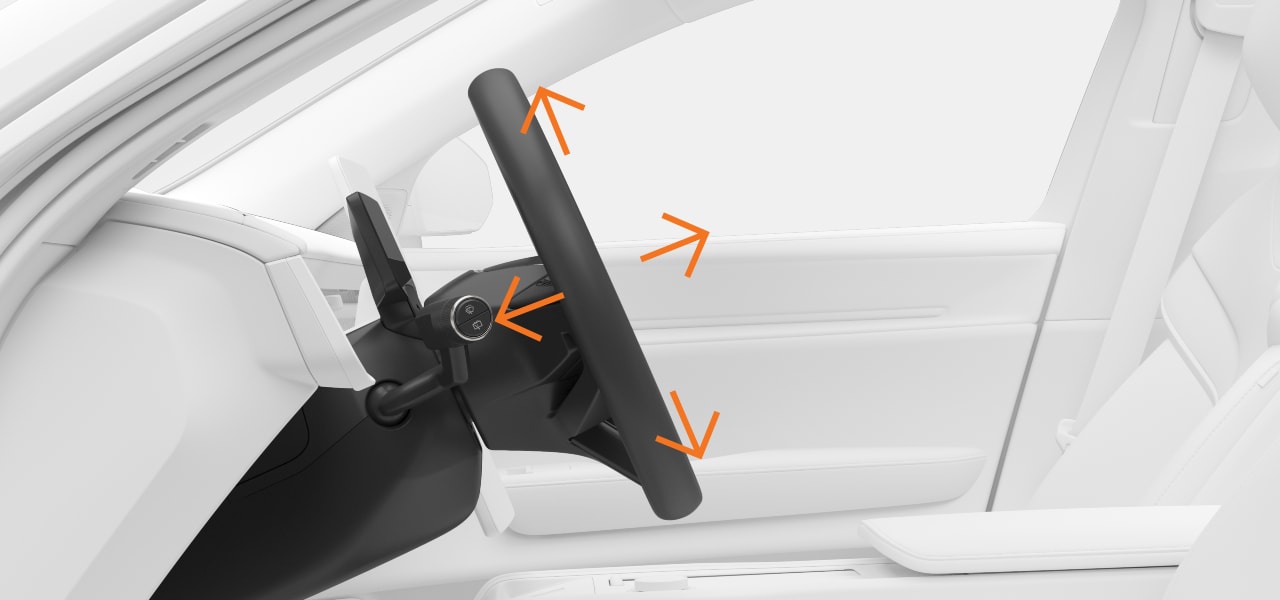
Adjusting the steering wheel position is fundamental to your driving posture, offering you better comfort and control of the vehicle.
The steering wheel adjustment view is accessed via the center display. It guides you through the available settings to move the steering wheel to your preferred position.
Warning
Important
Clear space around the instrument panel
Do not hang or place any objects on the steering column in front of or behind the instrument panel. You risk damaging the instrument panel if an object is placed there when the steering wheel position changes.
Press the vehicle symbol  in the bottom bar and go to Settings.
Go to .
Adjust the steering wheel position using the steering wheel buttons.
Tip
Quick access
You can also access certain driver adjustments via quick controls in the center display or by using the seat adjustment knob on the side of your seat. This allows you to quickly make adjustments without going into settings.