
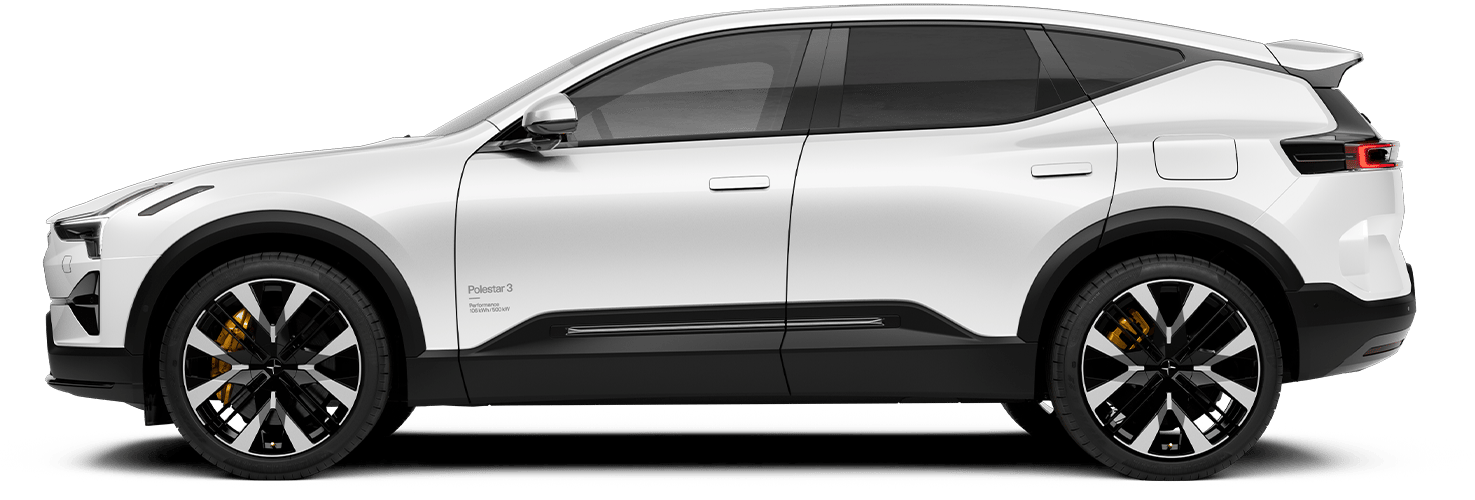

Infotainment
The SUV for the electric age delivers the latest digital in-car experience. Like the seamless connectivity, Polestar 3 drivers can have with Google built-in.¹ And the cutting-edge audio experience of Bowers & Wilkins sound system.

Google built-in¹
The infotainment system in Polestar 3 features a Polestar-developed interface. With Google¹ apps and services integrated directly, it connects the car, driver, and their entire digital ecosystem.

Google Maps¹
Drive with even more confidence using Google Maps¹ built into Polestar 3. Intelligent routing adapts to the car’s battery range in real-time for seamless navigation, and destinations can be sent from the phone to Polestar 3 for an effortless, connected start.

Google Assistant¹
Get hands-free help from Google Assistant¹ in Polestar 3. Say “Hey Google” to adjust music, control climate settings, communicate with compatible smart home devices, and more, all while staying focused on the road.

Google Gemini
As the driver’s AI assistant, Gemini¹ handles complex requests through natural conversation. Change the car’s climate settings, or have a discussion that leads to a new dinner spot. It connects with favorite apps and vehicle data to take action and respond intelligently.

Google Play Store¹
The infotainment system runs many familiar apps optimized for the in-car experience. Some have been redeveloped to interact with the car’s systems to enhance every drive. Updates and new apps can be downloaded on Google Play¹ through the centre display.
Bowers & Wilkins for Polestar
With 1,610 watts of power, 25 speakers, 3D Surround Sound, and Dolby Atmos, the bespoke Bowers & Wilkins audio system delivers a unique, immersive listening experience that stays true to the original recording.


Dolby Atmos
Dolby Atmos produces spatial audio, creating sound in 360 degrees around the listener. Each voice, tone, and instrument is placed precisely throughout the Polestar 3 cabin, revealing unmatched depth, clarity, and details.

Active road noise cancellation
Bundled with the Bowers & Wilkins audio system, Active road noise cancellation keeps out excessive wind, tire, and road noise without blocking important sounds like sirens and car horns.
Available as an upgrade.

Headrest speakers
Each front seat headrest is fitted with two 40 mm full-range speakers, widening the listener’s spatial audio perception.
Abbey Road Studios Mode
Abbey Road Studios Mode brings the distinct acoustic capabilities of the renowned studio to the Bowers & Wilkins sound system for Polestar 3. Explore tones ranging from vintage to raw across four available presets, or get immersed into a recording environment with Producer Mode by taking direct control of the individual audio-spatial elements.

01/03
Displays
Intuitive without being overwhelming. Polestar 3’s displays are optimized to show everything a driver needs to see at a glance.


Polestar-developed interface
Polestar 3’s infotainment system combines a Polestar-developed interface with integrated Google¹ apps and services, seamlessly connecting the car, driver, and their entire digital ecosystem.


Over-the-air updates
Polestar 3 gets better with time, receiving regular over-the-air updates for the infotainment system, apps, and car systems. New software releases upgrade the car's features and performance without having to visit a service point.
Smartphone connectivity
Apple CarPlay² and Android Auto¹ combine connectivity and flexibility, allowing drivers to connect their smartphone device to Polestar 3 for a more personalized infotainment experience.

Apple CarPlay¹
Polestar 3 comes with wireless Apple CarPlay,² allowing a compatible iPhone² to be connected via Bluetooth and controlled via the car’s centre display or voice commands. Listen to music, make phone calls, get driving instructions, or use Siri,² all while remaining focused on the road.

Android Auto™
With Android Auto™,¹ drivers can connect an Android device to Polestar 3 through Bluetooth. Compatible apps become accessible on the centre display, while Google Assistant¹ or Google Gemini¹ is available for hands-free help.
Polestar app
With the Polestar app, Polestar drivers can interact with their vehicle straight from their mobile device. A few taps is all it takes to set climate timers, check the battery status, and lock and unlock Polestar 3.


Digital Key
Users of Apple, Google, or Samsung devices can sync the digital key to their device’s wallet to lock, unlock, and start Polestar 3. The main driver can share and manage secure copies of the key, which connect with the car’s profile memory to store the preferred settings for up to six drivers.

Driver profiles
Share Polestar 3 without worrying about driver’s seat adjustments. The onboard software stores the preferred seating position for up to 6 drivers and loads the correct settings when an authorized key is detected.
Learn more about Polestar 3
Google, Android, Android Auto, Gemini, and other marks are trademarks of Google LLC. Apple CarPlay and Siri are trademarks of Apple Inc. Compatible Android phone and compatible active data plan required for Android Auto. Features may differ depending on subscription, and results may vary. Some connected apps require setup. Compatibility and availability varies. 18+. Not all services, features, applications, or required compatible devices are available in all languages or countries, and may vary by car model.
For more details, visit the Help Centre, the specific sites for e.g. Google Assistant, Google Maps, Google Play and Apple CarPlay, or the car manufacturer site.
Vehicle user interface is a product of Apple, and its terms and privacy statements apply. Requires compatible iPhone®, and data plan rates apply. Apple CarPlay® is a trademark of Apple Inc. Siri®, iPhone® and iTunes® are trademarks of Apple Inc., registered in the U.S. and other countries.
Visuals are for illustrative purposes only. European model shown. All standard and upgraded features shown on this page may vary in availability per market.