




Status symbols in the centre display
Status symbols are shown in the status bar at the top of the centre display. The symbols tell you important information about your car's system status.
Symbol types
Some status symbols, such as the clock, will always be visible in the status bar. Others are only visible when that particular function is active, such as wireless charging, or even disabled. You will also see symbols that tell you when there is an error, such as when you have a Wi-Fi or mobile internet connection issue.
Note
Make sure you look up any status symbols that you are unfamiliar with. They might not appear with any extra information or notifications.
This is a list of some status symbols that can appear in the status bar. It is not an exhaustive list and you might also see status symbols in the status bar from third-party apps.
 | Clock | The clock shows you the current time. You can choose whether to display the time in the 12-hour or 24-hour format. |
 | Outside temperature | This is the current ambient temperature outside of the car. You can choose to have the temperature displayed in degrees Celsius or Fahrenheit in the car's system settings. |
 | Outside temperature with snowflake | This is the current ambient temperature outside of the car. The snowflake appears when the outside temperature is low. |
 | New notification | There is a new notification in the notification centre. |
 | Microphone is active | The car's microphone is active. |
 | Edit home view widgets | This symbol appears when you are looking at the home view. Pressing it allows you to customise the home view widgets. |
 | Armrest storage open | The armrest storage is open. |
 | Armrest storage locked | The armrest storage is locked. |
 | USB device connected | A device is connected to the car via USB. |
 | Over-the-air update available | An over-the-air software update is available to download and install. |
 | Over-the-air update downloading | An over-the-air software update is downloading. |
 | Over-the-air update scheduled | An over-the-air software update is scheduled to install later. |
 | Wireless charging active | A device is charging on the wireless charger. |
 | Location | Your location is being shared. |
 | Wi-Fi signal | Wi-Fi is enabled and active. The number of bars indicates the signal strength. If no bars are shown, this indicates that a Wi-Fi connection is active but there is no signal. |
 | Wi-Fi internet error | There is an issue with the Wi-Fi internet connection. |
 | Bluetooth enabled | The car's Bluetooth is enabled but no devices are currently connected. |
 | Bluetooth connected | Bluetooth is enabled and a device is connected to the car. |
 | Bluetooth off | Bluetooth is turned off. |
 | Mobile internet signal | Mobile internet is active and being used by the car. The number of bars indicates the signal strength. If you see this symbol with a type of connection next to it, such as 3G or LTE, it means that the car is connected to that type of network. |
 | 5G mobile internet signal | Mobile internet is active and being used by the car. The number of bars indicates the signal strength. |
 | 4G mobile internet signal | Mobile internet is active and being used by the car. The number of bars indicates the signal strength. |
 | 3G mobile internet signal | Mobile internet is active and being used by the car. The number of bars indicates the signal strength. |
 | LTE mobile internet signal | Mobile internet is active and being used by the car. The number of bars indicates the signal strength. |
 | No mobile internet connectivity | There is an issue with the mobile internet connection. The car has mobile internet reception but there is no connection to the network. |
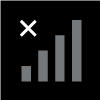 | No mobile internet reception and connectivity | There is an issue with the mobile internet connection. The car doesn't have mobile internet reception and has no connection to the network. |
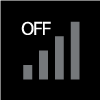 | Mobile internet off | The car's mobile internet is turned off. |
Tip
You can press the symbols in the status bar to open related views. For example, pressing the Bluetooth symbol will open the Bluetooth settings view.