




Controlling front wipers
You can manually activate the windscreen wipers or select a wiper mode. When the wipers are in automatic mode and rain is detected, the wipers will activate.
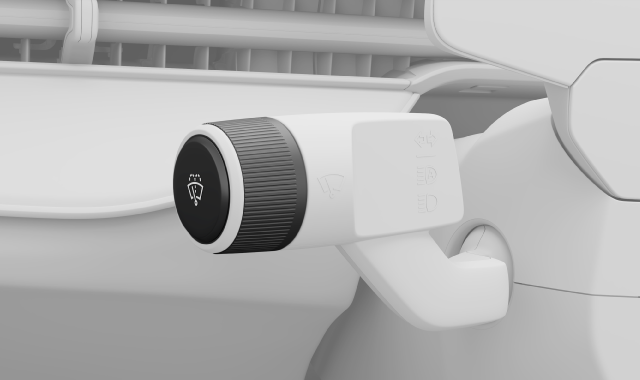
There are different front wiper modes that you can activate by using the left-hand stalk. The modes are:
| 3x | High |
| 1x | Low |
| Auto | Automatic mode using rain sensor |
| Off | Wipers are turned off |
Single wipe
Press once quickly on the end of the left-hand steering wheel stalk.

The wipers swipe once across the front windscreen.
Changing wiper mode
Rotate the scroll wheel on the end of the left-hand steering wheel stalk.
The wiper menu appears in the driver display, allowing you to scroll through the wiper modes. The currently selected mode is also highlighted.