





Power meter
The power meter tells you how and when the battery power is being used or regenerated.
The power meter is always visible in the instrument panel, and its appearance varies between instrument panel modes.
The power meter sections have different colors and designs that indicate different power uses or limitations. They can appear on their own or in combination with other sections.
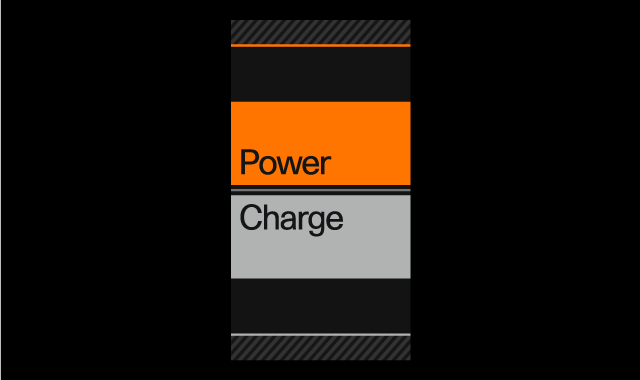
 | Solid orange | The vehicle is using power to move. The size of this solid orange section grows and shrinks with the amount of power being used. |
 | Grey line | This line is always visible. When you can see just the line by itself, it means that the vehicle is neither using nor regenerating power. |
 | Solid grey | The vehicle's battery is regenerating power rather than using it. This can appear when decelerating or braking, or when easing up on the accelerator while using One Pedal Drive. The size of this section grows and shrinks with the amount of power being regenerated. |