


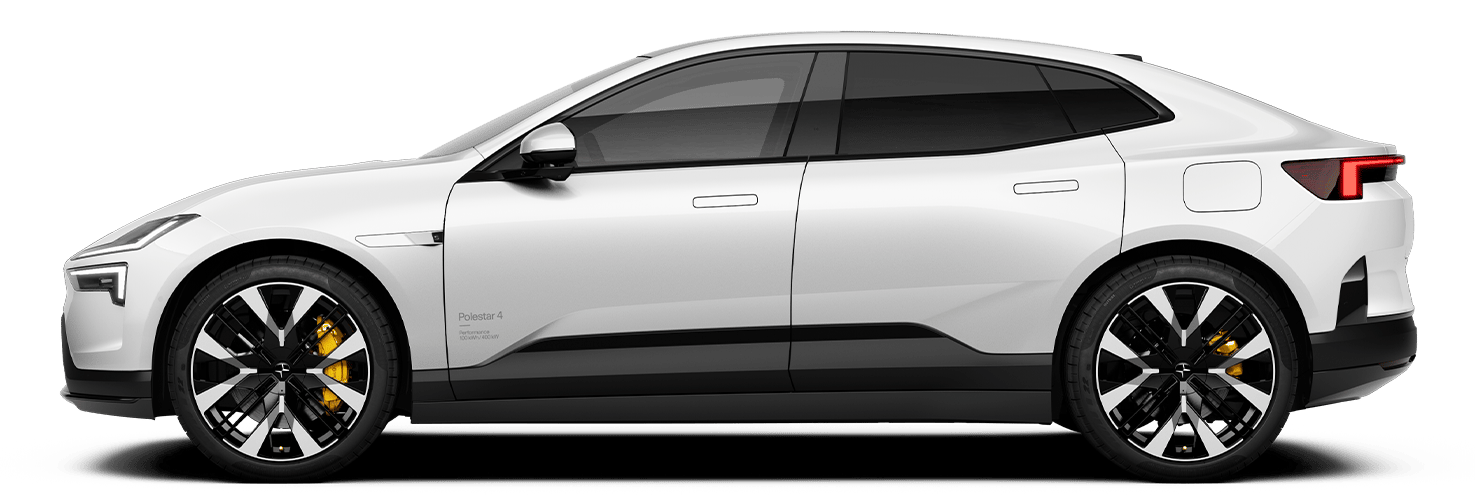

Polestar is continuously developing the systems in the vehicles and services offered to you. Software updates for your vehicle give you access to many new features and improvements. The vehicle's software can be updated to the latest version over the air (OTA) or in connection with a service at an authorized Polestar workshop. You will be informed in the center display when new software is available as an over-the-air (OTA) update. Go to the app view, then press the "Settings" icon, "System" and "Software updates" to see the current software version.
Note
- Functionality after updating may vary depending on market, model year and options.
- Some updates are available at workshops before they are available over the air (OTA).
- Previously released updates are also included when updating to the latest version.
Once a software update is available, you will find it here, along with any previous updates.
Updates in Software Version P3.0.28
This software update is available for all Polestar 3 vehicles that have been upgraded with the new Core computer.
- The operating system, Android Automotive OS, is upgraded to Android 15. The upgrade includes overall Infotainment improvements and Performance, as well as increased availability of more apps through the Google Play Store. Audio from video apps can now be played while driving and controlled directly via the media widget.
- Additional functionality for the steering wheel buttons is introduced. The new functionality includes:
- Media Controls
- Voice control activation
- Adaptive cruise control settings
- Instrument panel mode switch
- Switch between Pilot Assist and adaptive cruise control
The feature associated with each touch zone appears in the driver display.
- Launch Mode is introduced for Polestar 3 Performance, model year 2026 or newer. Launch mode enables faster takeoff from a standstill.
- To activate Launch Mode, while in Drive and at a standstill, press and hold the brake pedal, then press and hold the accelerator pedal. During activation, the speedometer will turn orange, an animation will appear in the driver display and confirm once Launch Mode is activated.
- Android Auto is introduced. The function wirelessly mirrors your Android phone’s interface, navigation, media and messaging apps in the Polestar 3 center display.
- As part of the Driver Monitoring System, the Driver Distraction Alert function is updated with enhanced visual and audible notifications.
- Support for Horn & Lights in the Polestar app. Polestar 3 now supports remotely flashing the lights or triggering horn & lights from the Polestar app to help locate the vehicle in busy areas. Availability may vary by region.
- Air purification support in the Polestar app. This functionality allows you to remotely start an air purification cycle from the Polestar app. Available on Polestar 3 equipped with the optional Advanced Air Cleaner (Plus pack).
- The media player now includes a button with direct access to sound settings.
- Vehicle status view can now display the current tire pressure for each individual wheel position in the center display. This function is only available for model year 2026 or newer.
Additional improvements
- Improvements to Exit Assist, now including a temporary prevention of opening the door – in addition to an audible and visual warning – if pedestrians, bicycles, or other vehicles approaching from the rear are detected. A double pull of the door latch will override the temporary hold.
- Previously, Exit Assist only provided an audible and visual warning when detecting objects approaching from the rear.
- Improvements to Apple CarPlay, now supporting Dolby Atmos, delivering a more immersive and directional sound experience when supported content is played.
- Improvements to the foot-operated tailgate, including overall robustness and a longer activation time, with extended audible feedback when closing the tailgate.
- Improvements to rear wiper behavior, including a shorter wiper cleaning interval ( reduced from 10 to 8 seconds) and automatic activation of the rear wiper when reversing if the front wipers are already active.
- Improvements to the locking and unlocking functionality connected to approach recognition via ultra-wideband (UWB) connection.
Bug fixes
- Bug fix for when the phone wallet was displayed on the phone when it was placed on the wireless phone charger.
- Bug fix for when the rear defroster did not deactivate as expected during automatic start conditions.
- Bug fix for when the interior illumination brightness and theme did not respond correctly.
- Bug fix for when the alarm could be triggered when the vehicle was unlocked and opened via the passenger door.
Updates in Software Version P3.0.26
This software update is available for all Polestar 3 vehicles that have been upgraded with the new Core computer.
- The operating system, Android Automotive OS, is upgraded to Android 15. The upgrade includes overall Infotainment improvements and Performance, as well as increased availability of more apps through the Google Play Store. Audio from video apps can now be played while driving and controlled directly via the media widget.
- Additional functionality for the steering wheel buttons is introduced. The new functionality includes:
- Media Controls
- Voice control activation
- Adaptive cruise control settings
- Instrument panel mode switch
- Switch between Pilot Assist and adaptive cruise control
The feature associated with each touch zone appears in the driver display.
- Launch Mode is introduced for Polestar 3 Performance, model year 2026 or newer. Launch mode enables faster takeoff from a standstill.
- To activate Launch Mode, while in Drive and at a standstill, press and hold the brake pedal, then press and hold the accelerator pedal. During activation, the speedometer will turn orange, an animation will appear in the driver display and confirm once Launch Mode is activated.
- Android Auto is introduced. The function wirelessly mirrors your Android phone’s interface, navigation, media and messaging apps in the Polestar 3 center display.
- As part of the Driver Monitoring System, the Driver Distraction Alert function is updated with enhanced visual and audible notifications.
- The media player now includes a button with direct access to sound settings.
- Vehicle status view can now display the current tire pressure for each individual wheel position in the center display. This function is only available for model year 2026 or newer.
Additional improvements
- Improvements to Exit Assist, now including a temporary prevention of opening the door – in addition to an audible and visual warning – if pedestrians, bicycles, or other vehicles approaching from the rear are detected. A double pull of the door latch will override the temporary hold.
- Previously, Exit Assist only provided an audible and visual warning when detecting objects approaching from the rear.
- Improvements to Apple CarPlay, now supporting Dolby Atmos, delivering a more immersive and directional sound experience when supported content is played.
- Improvements to the foot-operated tailgate, including overall robustness and a longer activation time, with extended audible feedback when closing the tailgate.
- Improvements to rear wiper behavior, including a shorter wiper cleaning interval ( reduced from 10 to 8 seconds) and automatic activation of the rear wiper when reversing if the front wipers are already active.
- Improvements to the locking and unlocking functionality connected to approach recognition via ultra-wideband (UWB) connection.
Bug fixes
- Bug fix for when the phone wallet was displayed on the phone when it was placed on the wireless phone charger.
- Bug fix for when the rear defroster did not deactivate as expected during automatic start conditions.
- Bug fix for when the interior illumination brightness and theme did not respond correctly.
- Bug fix for when the alarm could be triggered when the vehicle was unlocked and opened via the passenger door.
Updates in Software Version P2.1.26
This software update provides general improvements and compatibility updates. It includes the software content released in all previous updates.
Updates in Software Version P2.1.25
This software update provides general improvements and compatibility updates. It includes the software content released in all previous updates.
Updates in Software Version P2.1.24
This software update provides general improvements and compatibility updates. It includes the software content released in 2.1.22.
Updates in Software Version P2.1.22
This software update provides general stability improvements to all Polestar 3 vehicles upgraded with the new core computer.
- HomeLink is introduced. The HomeLink app allows the user to pair and control gate openers, such as garage doors, produced by HomeLink
- As part of Pilot Assist and Adaptive Cruise Control, Adapt to Speed Limit is introduced. Adapt to Speed Limit is a new function that allows the driver to accept or reject offers to adapt the set speed limit according to the updated road speed limits
- The driver can enable Adapt to Speed Limit in the driver settings menu
- This functionality requires the vehicle to have Road Sign Information activated
- Connected safety introduced, allowing information sharing between vehicles via a cloud service. The function is intended to make a driver aware that there may be a potential traffic situation ahead. Connected Safety can inform the driver when the following hazards are detected beyond the visible horizon:1
- Slippery road conditions
- Vehicles with hazard lights activated
- Time gap setting when using Adaptive Cruise Control or Pilot Assist is introduced. The driver can select between three distance levels to vehicles ahead, in the center display, improving comfort when using Adaptive Cruise Control or Pilot Assist.
- Automatic folding and unfolding of exterior mirrors when locking and unlocking the vehicle is introduced
- Previously, it was only possible to manually fold and unfold the mirrors in settings
- Park Assist Pilot is introduced in vehicles equipped with Pilot Pack
- Park Assist Pilot supports the driver with automatic parking in parallel parking spots. When driving at low speeds, the function detects suitable parking spaces and available slots will be shown in camera view on the center display. The driver can choose the parking spot and activate automatic parking in the display. The vehicle will then steer and brake under driver supervision
- When using Park Assist Pilot to exit a parallel parking spot, the driver can select to exit the parking space either to the left or to the right
- In-vehicle communication using voice amplification and built-in microphones is introduced. This feature means front occupants don't need to raise their voices to be heard by rear seat occupants while driving
- The driver and front seat passenger can speak naturally because their conversation is amplified through the vehicle's speakers, which adjust the output volume at high speeds or with music playing
- The function is available in three settings (low, medium and high), which adapt the overall volume for all needs, including for hearing impairments
- In vehicles equipped with Bowers & Wilkins for Polestar, additional rear microphones enable easy communication between front and rear seats, improving this feature further
- Bi-directional charging, V2H, for customers in California is introduced
- This charging solution uses direct current (DC) and enables V2H (vehicle to home) functionality for Polestar 3 on the 400 V electrical architecture
- The feature requires a bi-directional compatible DC wallbox available for Polestar 3 provided by Dcbel
Additional improvements
- Improvements to high-voltage battery consumption when the vehicle is not in use, including prevention of battery consumption while keeping the vehicle's core system active over time while parked
- Improvements to the center display, including the possibility for users to re-order downloaded apps in the app center. To do this, press and hold an app icon, and then drag it to the place you desire
- Improvements to the driver adjustment profile memory, including the exterior mirrors and driver seat to adjust according to saved preferences when switching between profiles
- Improvements to the headlight low beam functionality, including a map data-based prediction of upcoming tunnels. This allows the low beam functionality to activate prior to entering a tunnel during daytime
- The function is active when the light setting is in Auto
- Improvements to the driver monitoring camera, including the following updates
- During use of Pilot Assist and Adaptive Cruise Control, including assurance from the camera to confirm that the driver is paying attention before allowing the vehicle to follow traffic from standstill. The time allowed for the vehicle to be in standstill before proceeding to follow traffic has been increased
- If the driver is deemed to be unresponsive, the function is also updated to give distraction warnings even when the Driver Alert setting is turned off
- Improvement to Emergency Stop Assist, including a check-up call to Polestar Connect to ensure driver safety. If the driver intervenes and interrupts the Emergency Stop Assist before the vehicle has been brought to a complete standstill, the call will be disconnected2
- Improvements to Collision Avoidance Side, including function adaptation based on driver awareness to increase robustness for cut in/out scenarios. Driver awareness is taken into consideration when engaging emergency steering functions
- This also includes function adaptation to intervene in situations where the driver is deemed to be inattentive and while cutting a corner, even when Lane Keeping Aid steering is turned off by the driver
- Improvements to the occupant detection reminder, including adding functionality where the exterior parking lights will be activated to provide a visual warning in addition to the audible warning
- Improvements to the rear luggage compartment lighting, including the light to now activate across all unlocking methods, ensuring consistent visibility regardless of access point
Bug fixes
- Bug fix for when the tailgate wasn’t opening fully due to the vehicle detecting motion of users exiting the vehicle
- Bug fix for when the interior lighting theme, white or gold, intermittently didn’t allow switching between the colors
- Bug fix for when Google Maps would start in dark mode during the daytime
Updates in Software Version P1.4.12
- Fix for seat position so that it is now correctly connected to the selected driver profile.
- Solution for performance issues related to third-party HD video streaming apps.
- Audio and Abbey Road Studios Mode settings are fixed to avoid issues with missing content, such as missing back button in the center display.
- The pop-up message for OTA Software updates now remains visible for a longer duration when a new update is available.
- Stability of internet connectivity has been improved, along with enhancements to how the vehicle manages temporary connection loss.
- GPS reliability has been improved to help prevent signal loss and drifting on the map.
- Improvements to digital key unlocking functionality when approaching the vehicle.
- HD radio improvements.
- Apple CarPlay connectivity improved to more reliably reconnect during the next driving cycle. Previously, Apple CarPlay would not always reconnect as expected.
Updates in Software Version P1.3.18
- Digital key lock and unlock functionality improved
- False occupant presence reminder sensitivity improvements
Updates in Software Version P1.3.17
- Abbey Road Studios mode introduced. It offers a listening experience inspired by the world-famous recording studio in London. With this audio mode, you can choose between four new sound presets or adjust the sound spectrum as if you were the producer in the recording room and moving freely around in it (only applicable with Bowers & Wilkins audio system).
- Smart schedule for charging introduced.
- Set a departure time at a certain location and the vehicle will use a smart schedule to ensure it is charged and ready to drive by the desired time of departure. The vehicle delays the charging start to protect your battery and reach the desired state of charge as late as possible prior to departure.
- Curve Speed Assist introduced. CSA will reduce speed in curves to improve the driving experience when using pilot assist. The function has been added to the Assist menu in the vehicle with ON/OFF settings.
- HD Radio (Hybrid Digital Radio) introduced (North American markets only). HD Radio provides reliable, high-definition digital sound and can show song titles, artists, albums, and station information on the center display. You can also get information such as weather alerts, the latest sports scores, and emergency messages.
- Onboarding: Connect keys to profile settings have now been added to the onboarding section for all new vehicles, allowing the driver to connect the vehicles keys to the driver's profile already when setting up the vehicle for the first time.
- Assigning a key to your profile ensures that your profile is automatically selected when you unlock the vehicle or the driver door using the key.
- Stolen Vehicle Tracking introduced (European and North American countries only).
- Stolen Vehicle Tracking enables the possibility for the Polestar Assistance call center to track the vehicle if it is reported stolen.
- Change in logic of Park Assist Camera to always show reverse camera view when vehicle is placed in reverse. Vehicles with split-screen view with 360 camera and rear-view camera will show the split screen when the vehicle is placed in reverse.
- Bug fix for issue in which the connection between a driver profile and a connected key would disappear after the vehicle had been parked for an extended time. All key connections will now remain until they are manually removed from the driver profile.
- Adaptive high beam improved for a quicker response time after a meeting scenario has occurred.
- Fix for issue with Fahrenheit temperature reverting back to 62 (US market only).
- NFC reader in door handle improved. Placing your fingers under the door handle will now trigger a reset that will re-enable the NFC readers.
- Additional information now added to the HUD (Head-Up Display).
- ACC/Pilot Assist and Set speed are now shown in the HUD.
Additional improvements
- Lock and unlock vehicle when approaching and leaving functionality improved.
- ETA (Estimated Time of Arrival) now added to the instrument panel when a destination has been set and the map view is active in the instrument panel.
- Bug fix to now enable possibility to change charging settings for a location via the mobile app.
- Preconditioning timer settings now remain overnight.
- AC & heat pump performance improvements.
- Low state of charge warning will no longer be displayed while the vehicle is charging.
- Rear camera cleaning logic improved to add a delay to allow time for fluid valve to switch from rear window to rear camera.
- Climate setting improvement for issue with settings not being available in the center display.
- Improved sound when phone is connected via Bluetooth.
- Stability improvements to in-car connectivity in car
- Infotainment system stability improvements.
- Stability improvements for AC charging (US market only).
Updates in Software Version P1.2.16
General stability improvements.
Updates in Software Version P1.2.15
- Power-operated soft-close tailgate with foot sensor operation improved to allow the tailgate to trigger after first button press or foot kick
- Alarm sensor logic changed so the alarm sensor does not flash during driving.
- Center display light intensity improvements that prevent the screen from flickering when switching between day and night mode.
- Performance app enabled. The Performance app can be downloaded from Google Play Store and is a fun way to transform performance into numbers when it is safe to do so. Polestar drivers can record their acceleration times, see the G-forces created, and perfect their launch control technique
- AC-charging on 1-phase has been improved to avoid interrupted charging.
- False seat belt reminders stability improvements
- False occupant presence reminder sensitivity improvements
- Charging screen stability improvements to prevent previous issue of the center display changing to the charging screen during a drive cycle.
- Automatic wiper sensitivity setting is now stored in between drive cycles.
- The vehicle will always choose automatic mode as default between drive cycles. However, this change allows you to select and change the sensitivity of the rain sensor used in automatic mode, which will now be saved between drive cycles.
- Digital key and key fob profile connection improvements
Updates in Software Version P1.2.6
- Walk-away locking introduced
- Wireless Apple CarPlay introduced
- Digital key for Android devices introduced (check the compatibility of your device on the phone manufacturer's website):
- It is now possible to activate your Samsung or Google Pixel device as Primary digital key by following the activation email with the pairing code or by scanning the QR code found under the vehicle keys menu in the owner profile.
- You can share your key cross-platform (from an Apple device to a Samsung/Google Pixel device, and vice versa).
- Automatic wiper activation when selecting gear (drive or reverse)
- Wireless phone charger behavior improved (memory setting on/off between drive cycles introduced)
- Rear-view mirror auto dimming enabled (interior and exterior)
- Audio stability improvements
- General stability improvements for interior lighting (white/gold now available for all vehicles)
- Center display light intensity improvements
- Screen cleaning mode introduced for infotainment system
- General stability improvements to the infotainment system
- Seat and steering wheel functionality improvements
- Hands-off detection improvements
- Power-operated soft close tailgate with foot sensor sensitivity improvements
- Bluetooth connection stability improvements
- General stability improvements
Updates in Software Version P1.1.23
- Stability improvements for occupant presence detection.
- General stability improvements.
Updates in Software Version P1.1.22
Note: The release of this software is only to improve the over-the-air functionality. The SW content in this update is identical to P1.1.21
- Compatibility update
Updates in Software Version P1.1.21
- Enabling digital key for Apple devices (Requires activation email).
- Stability improvements for occupant presence detection.
- Stability improvements for key recognition.
- Sensitivity improvements for hands-on detection.
- Auto calibration for TPMS functionality.
- Improvements for cabin climate timer.
After the over-the-air (OTA) update, one or more windows might lose calibration. If this occurs, roll the affected window(s) all the way down and then all the way up and hold the window switch for one additional second. A manual initialization will be performed, and the calibration will be restored.
Updates in Software Version P1.1.14
- General stability improvements.
Updates in Software Version P1.1.11
- General stability improvements.
Updates in Software Version P1.1.8
- General stability improvements.
Updates in Software Version P1.1.6
- General stability improvements.
Updates in Software Version P1.0.3
- General stability improvements.