


Using the dashcam app
You can record videos or take photos of the road ahead with the exterior-facing camera.
You can also customize how you want the dashcam to operate by adjusting the loop recording cycle time in settings. An ongoing recording is indicated by a symbol in the center display's status bar.
When you start recording a video in the dashcam app, it will continue until you stop recording or park the vehicle. If the dashcam was recording when you parked the vehicle, it will automatically start recording again when you start your next drive. When the memory card is full, the latest video will automatically override the oldest video in the gallery.
Tip
You can also control the dashcam app using voice control.
Additional information
In addition to being able to change app settings, you can also access information specific to the dashcam app, such as the privacy policy and an overview of the storage capacity for your gallery.
Accessing your photos and recordings
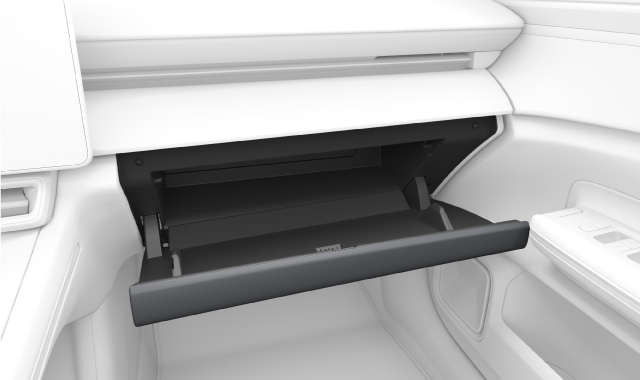
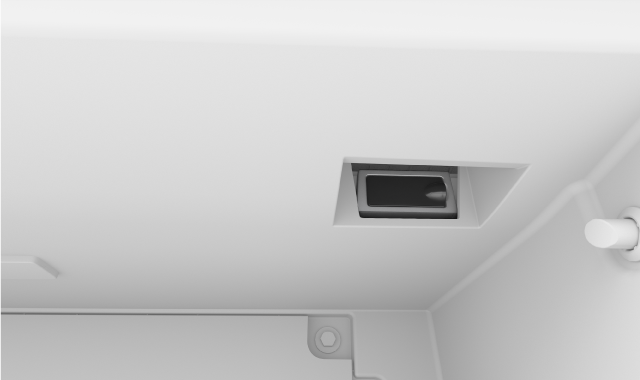
The images and recordings from the dashcam app are stored on a separate TF1 memory card in the glove compartment.
Note
You can access your gallery of saved photos and videos via the dashcam app. However, you can only view videos and photos when your vehicle is at a standstill.
The storage capacity of the TF memory card is limited. If the limit is reached, the oldest photos or videos in your gallery will be automatically deleted to make space for new ones.