Steering wheel controls
The steering wheel has several buttons and control surfaces. They control specific functions such as the horn, as well as certain settings, adjustments and what's shown in the driver display.
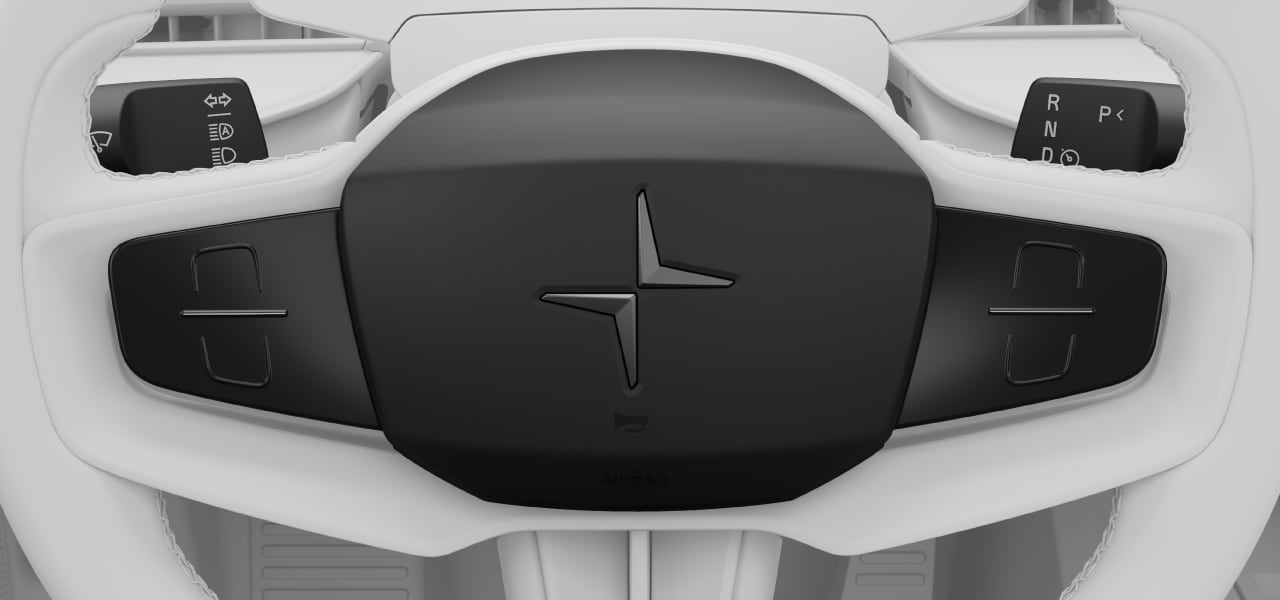
- Horn
- Touch-sensitive buttons
- Left-hand stalk
- Right-hand stalk
Touch-sensitive buttons
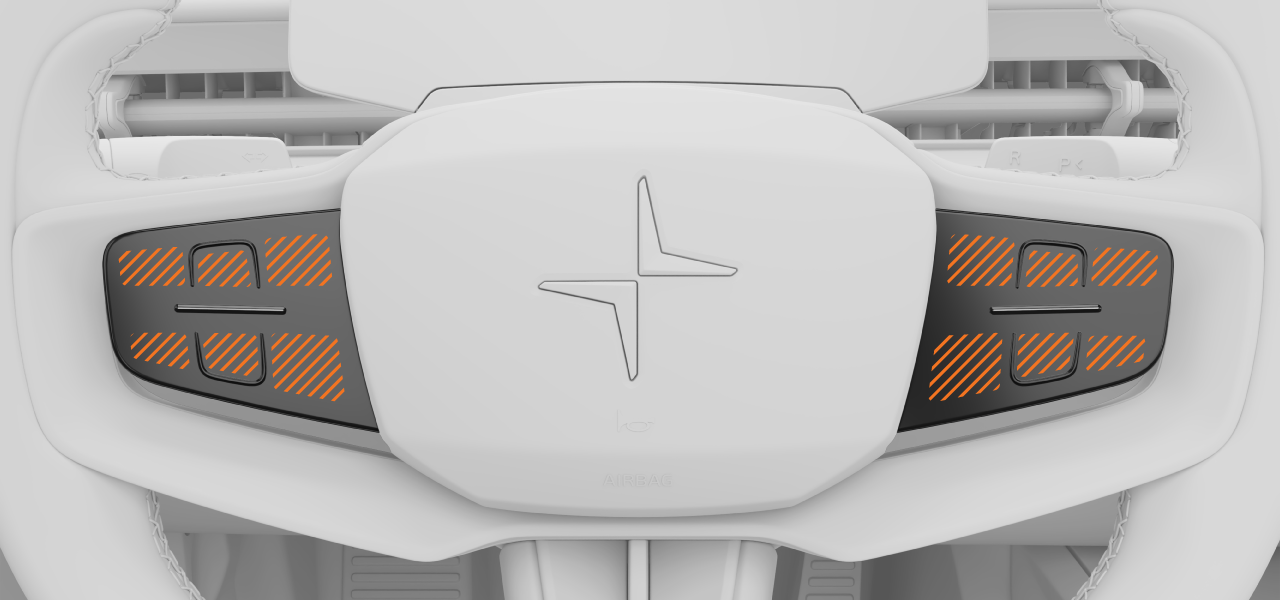
There are two sets of touch-sensitive buttons on the steering wheel, divided into multiple touch zones. Their functions change depending on the context and they typically control what's currently shown in the displays.
Interacting with the touch-sensitive buttons
You can find the touch zone you’re looking for by moving your finger across the steering wheel buttons. The function associated with each touch zone appears in the driver display, on the same side as the set of buttons you are touching.
To use the buttons, move your finger to the touch zone associated with the function you want to use. When the function is indicated in the display, press the button.
Some functions that can be controlled or enabled by the steering wheel buttons include:
- Assisted driving features
- Driver display modes
- Phone calls
- The digital assistant
Note
Standard button behaviour
- The upper button typically represents a positive response, such as yes, confirm or increase.
- The lower button typically represents a negative response, such as no, cancel or decrease.